10. Review as a team
On the paid and enterprise plans, any stage -- abstract, full text, data extraction, risk of bias -- can have two reviewers instead of one. Open the Teamwork tab.
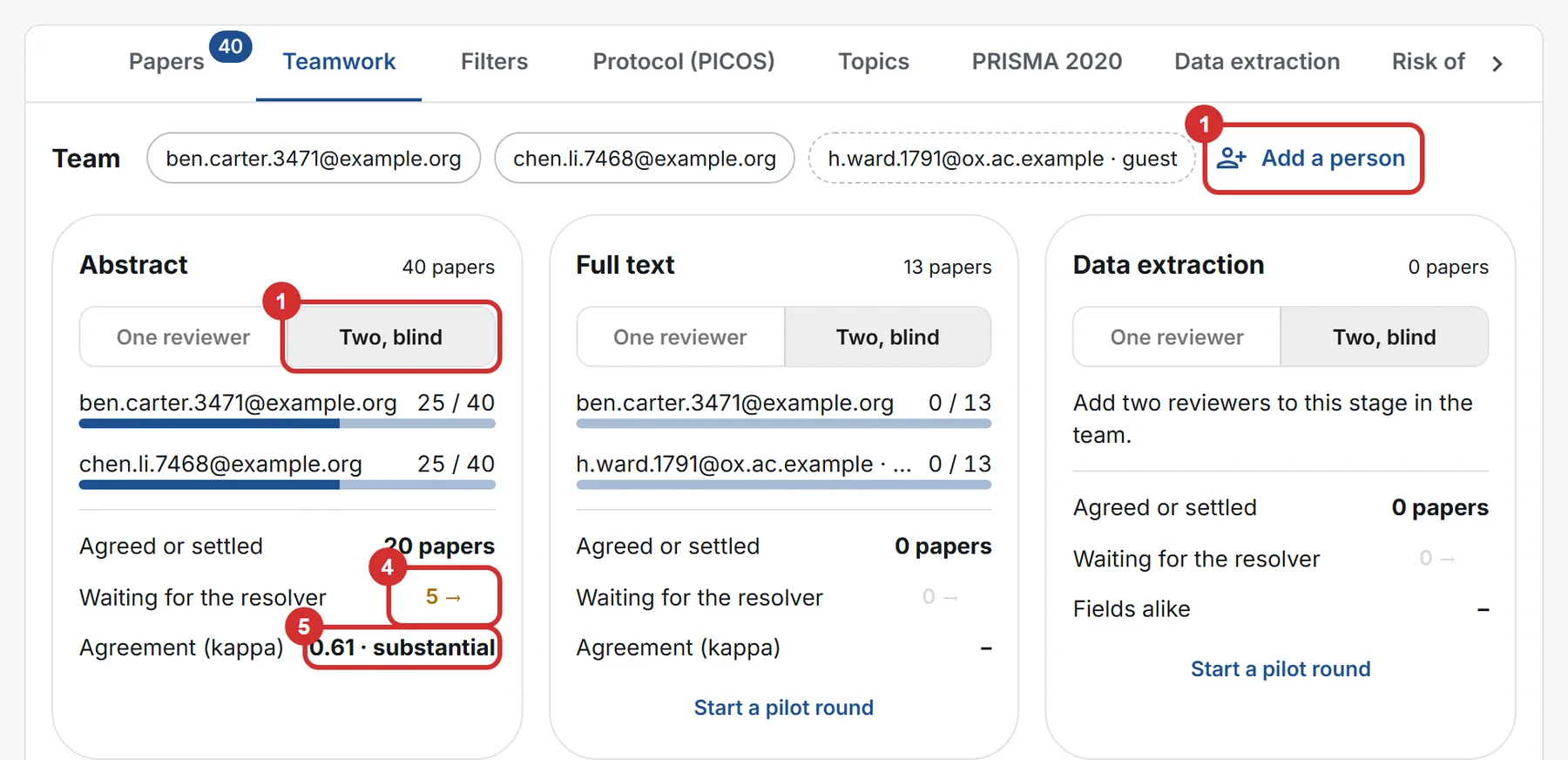
- Choose two reviewers for a stage. On the stage board, set the stage to Two, blind. Press Add a person and tick who reviews each stage: two at most per stage. Switch on Resolves for whoever settles disagreements; your organisation's owners and admins always can. Anyone on the team can review, a viewer included.
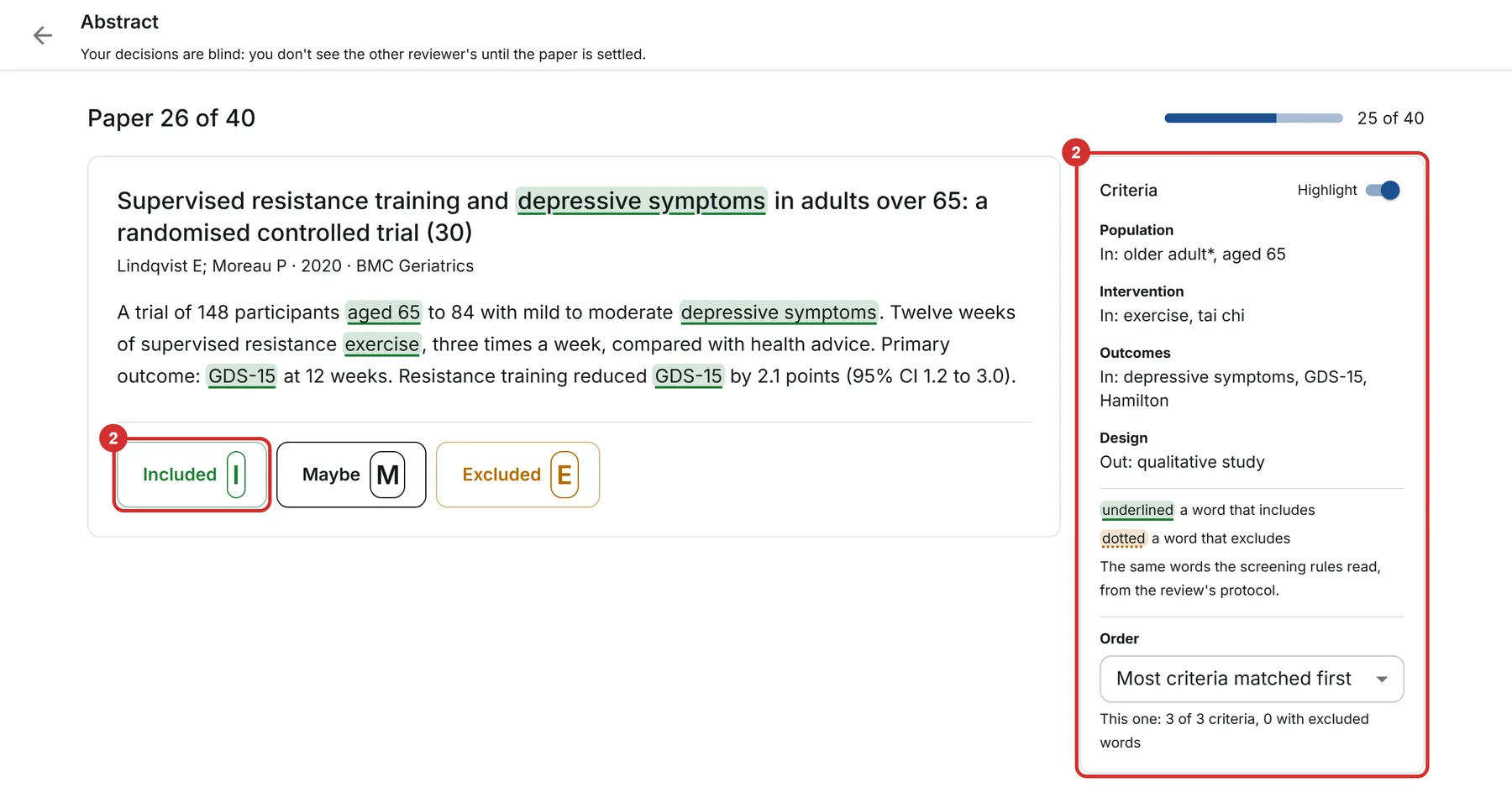
- Review blind. Each reviewer presses Screen my next (or Read, Extract, Assess my next) and works through their papers one at a time, with the criteria beside them. At screening, the keys I, M and E include, mark maybe or exclude, and Undo changes your last decision. You never see the other reviewer's decisions. The protocol's words are highlighted: underlined where they include, dotted where they exclude. The papers matching most of your protocol come first; you can switch to the papers grid's order.
- Agree, or wait for the resolver. Where both reviewers decide alike, that is the review's decision. Where they differ -- include against maybe counts as different -- the paper waits for the resolver. You can say why you decided as you did; the resolver reads both notes. At extraction and risk of bias this works field by field and domain by domain: numbers are compared as numbers, text without its spacing or capitals.
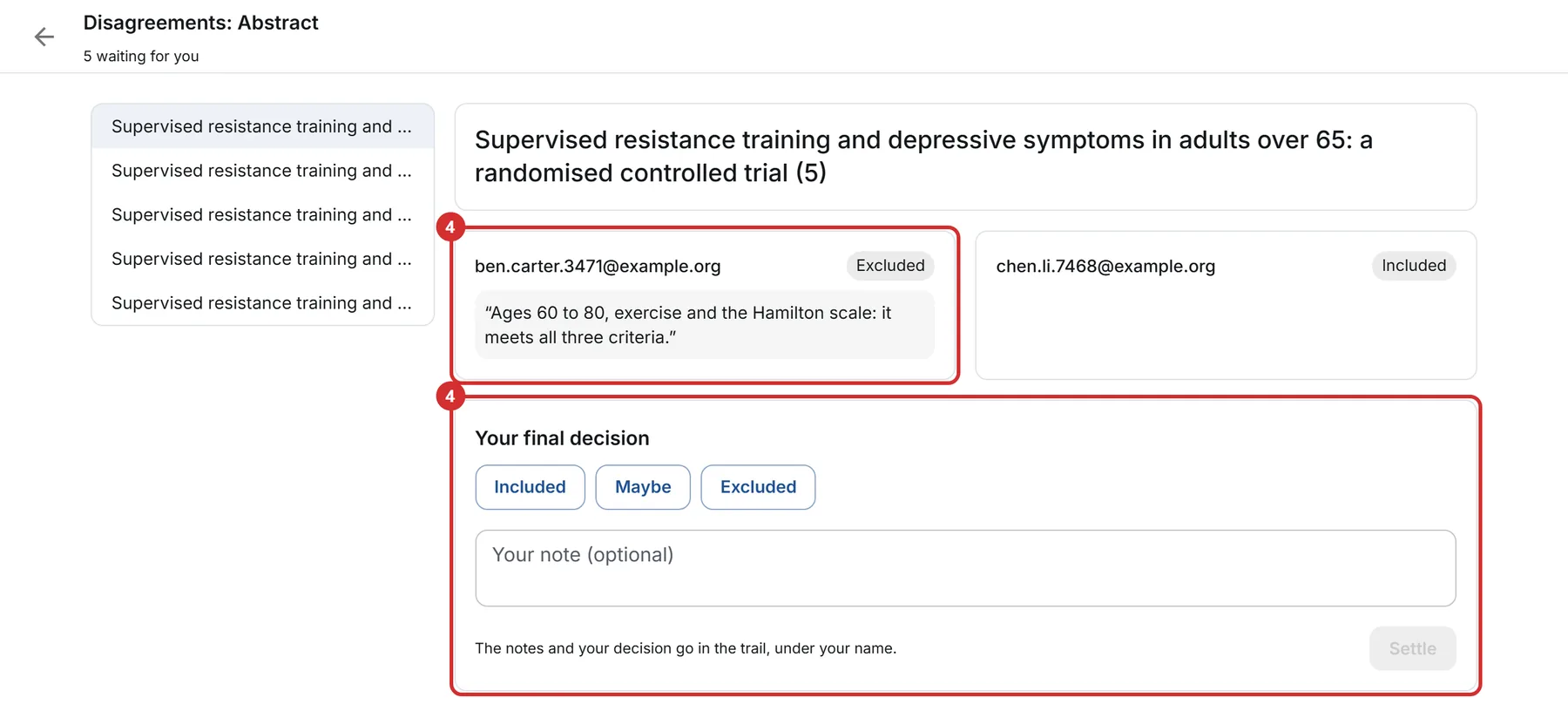
- Settle the disagreements. The resolver opens the count under Waiting for the resolver, reads both answers side by side, with each reviewer's quote and note, and settles it, with a note if they like. The decision is kept under their name.
- Read how well you agree. Each stage shows how many papers are agreed or settled, how many wait, and the agreement (kappa): how much the two agree beyond chance, from 0 (chance) to 1 (full), with its word, such as substantial. PRISMA's notes say how each stage was reviewed.
While a stage has two reviewers, its decisions are made from the Teamwork tab only, so neither is overruled by a decision made beside them. On the free plan every stage has one reviewer.
Start with a pilot round
Before a stage starts, press Start a pilot round: both reviewers decide the same first papers (10 to 50; 2 at extraction and risk of bias), blind. Once both have finished, you both see your agreement and every difference side by side, and can adjust the criteria, run another round, or start the stage. Pilot decisions are kept, marked as pilot, and never count in the stage's agreement.
Invite someone from outside your organisation
In Add a person, under Invite someone outside your organisation, type their email and choose what they do. They get an email with a link that signs them in -- no password, no account needed first -- and opens this review only: none of your other reviews, nor your organisation. They see everything in this review: papers, notes and extracted data. A guest takes no place in your plan; the paid plan takes 2 guests a review, enterprise any number. Remove ends their access at once; their decisions stay in the review.
Keep a review to its team
Switch on Private to its team in Add a person: only the team, your organisation's owners and admins, and the person who made the review then see it.
Reminders
Everyone on a team gets an email of what waits for them -- the papers left and, for a resolver, the disagreements -- weekly unless they choose daily or never on the Teamwork tab. It carries only the counts, never a paper or a decision, and its link stops it in one click.