4. Read and decide on the papers
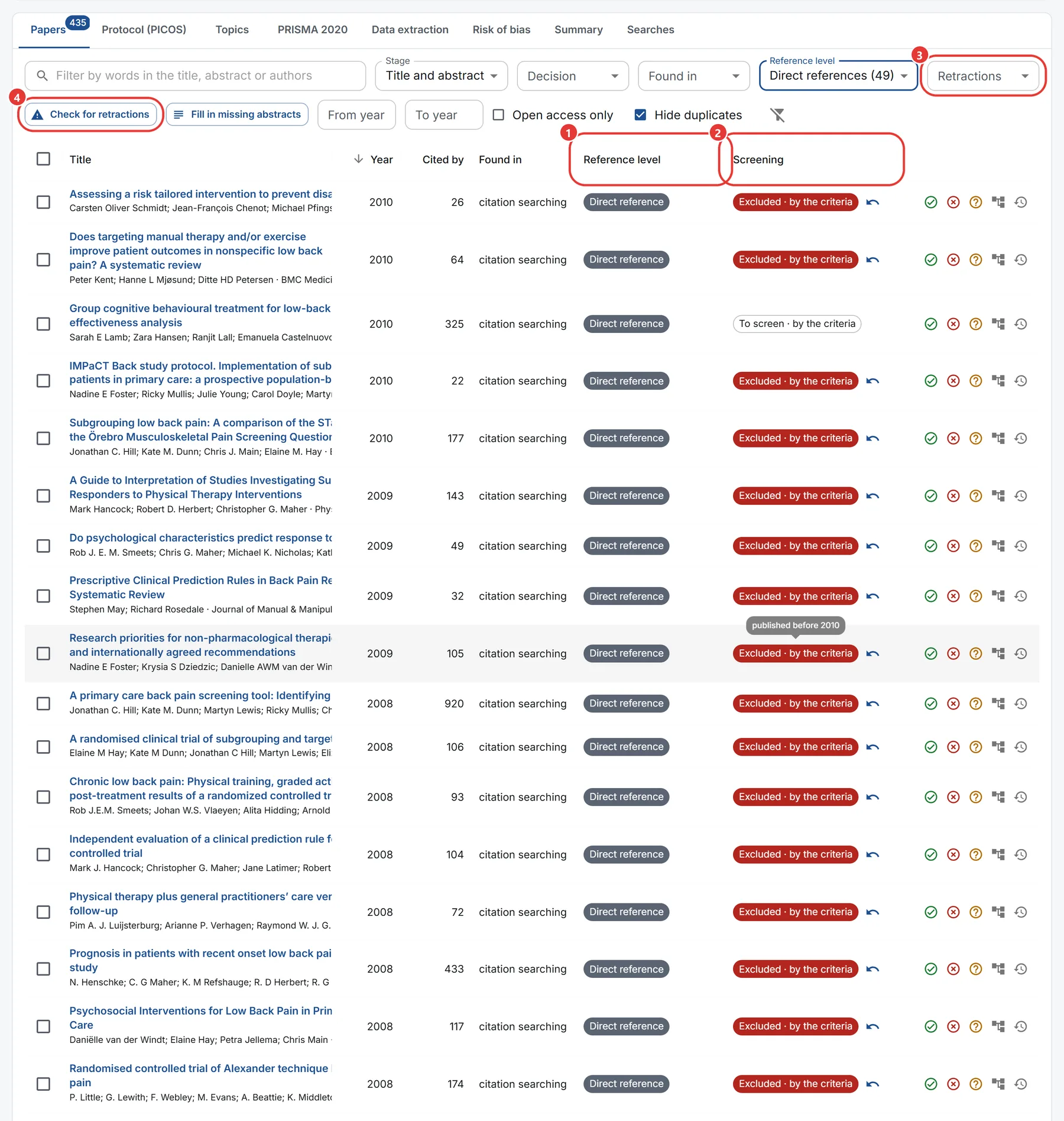
- Reference level says how the reference crawl reached each paper: the Starting paper, a Direct reference (cited by the paper you started from) or a Reference of a reference. Filter by it above the list.
- Screening shows each paper's decision and who made it: by the criteria for your protocol, or a person. Hover over it to read the reason.
- Retractions filters the papers that were retracted, withdrawn or removed, or carry an expression of concern. Every paper is checked against Crossref and Retraction Watch when it joins the review.
- Check for retractions asks again for every paper: a paper can be retracted years after it was found.
Each row has Include, Exclude and Maybe, Get its references, and History. Select several rows to decide on them together. The word filter searches titles, abstracts and authors.
Bring a paper back
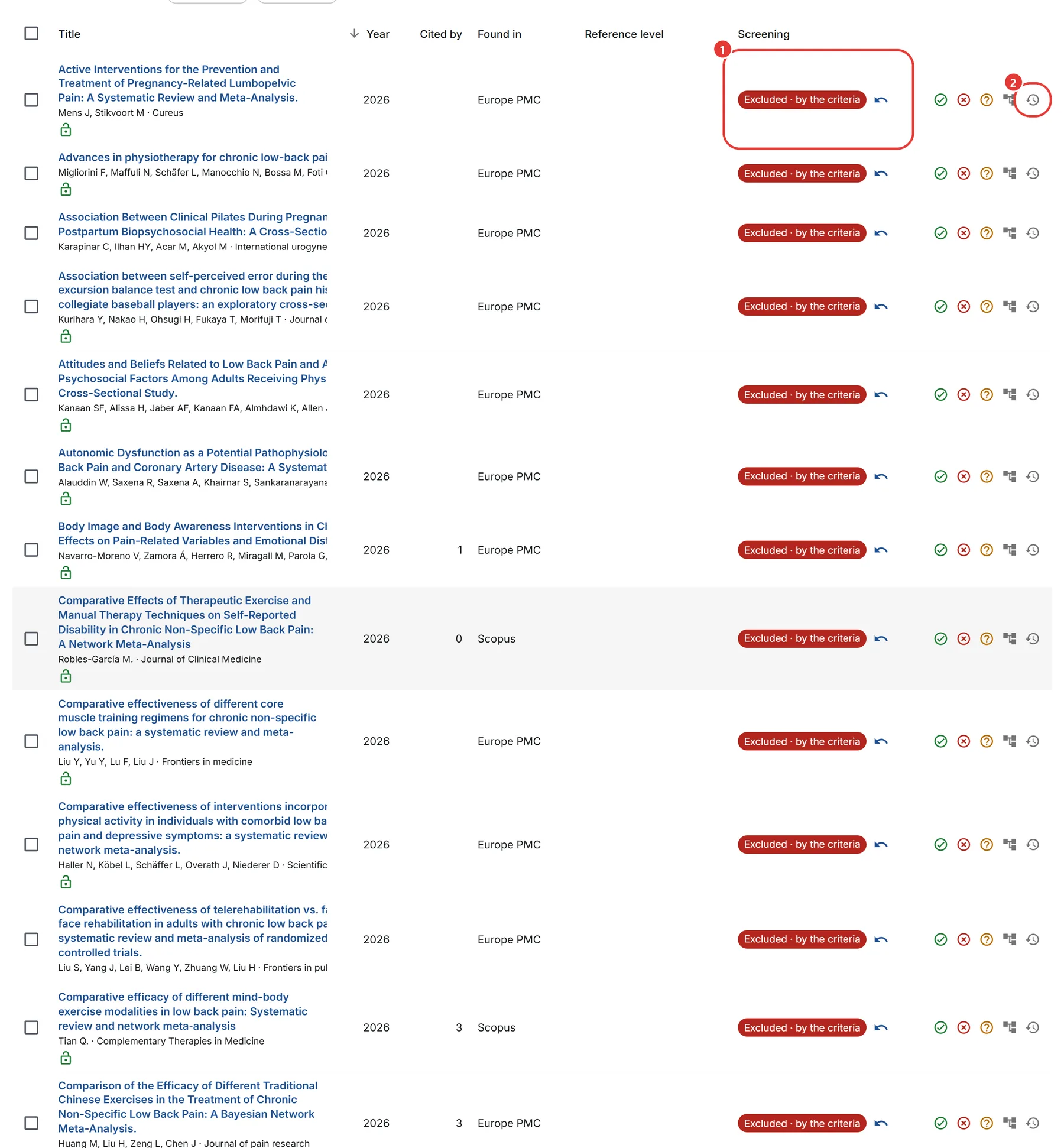
- A paper the criteria excluded (for a retraction, or for your protocol) has a Bring back arrow beside its decision. Press it and the paper waits for a person to screen it; the criteria will not exclude it again. To bring back several at once, select them and press Bring back above the list.
- History shows every decision made on the paper, with who made it, when and why. Nothing is ever overwritten.