2. Search the databases
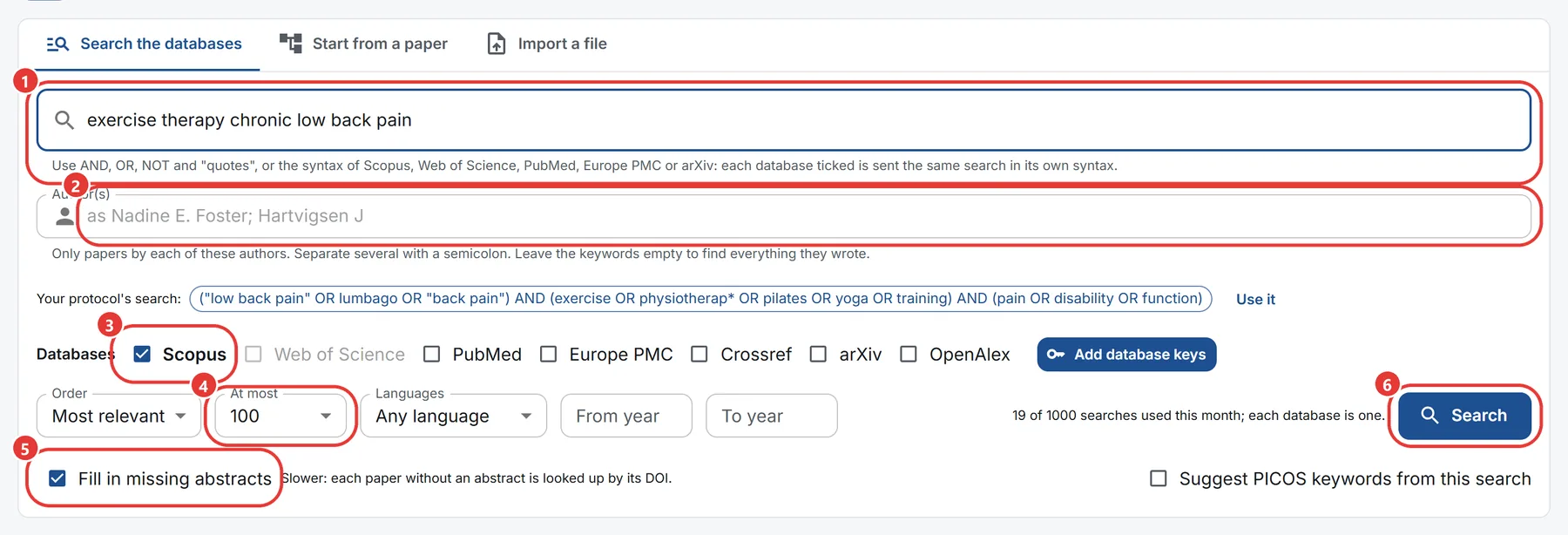
- Type the keywords. You can use AND, OR, NOT, quoted phrases and
*for any ending, as("low back pain" OR lumbago) AND exercise*, or the syntax of the database you know: Scopus'sTITLE-ABS-KEY(...), Web of Science'sTS=(...), PubMed'sword[tiab], Europe PMC'sTITLE:wordor arXiv'sti:word. Each database ticked is sent the same search written in its own syntax, and the result shows the exact query each one was sent, and says where a database could not search a field as asked. Scopus, Web of Science, PubMed and arXiv need every word in the same paper: join alternatives with OR. - To find papers by an author, type the name in Author(s), as Nadine E. Foster or Foster NE; separate several with a semicolon. Leave the keywords empty to find everything they wrote.
- Tick the databases: Scopus, Web of Science, PubMed, Europe PMC, Crossref, arXiv and OpenAlex. Each one ticked is searched on its own and counted on its own in the PRISMA flow; the papers they find are shown together, each once.
- Choose the order (most relevant, most cited or newest), the years and the languages if you want, and how many papers to take under At most. Unlimited brings up to 15,000 papers from Scopus or Web of Science and up to 1,000 from each other database.
- Fill in missing abstracts looks up, by DOI, the abstract of each paper that came without one. It is slower; untick it for a quick search, and fill them in later with the button above the list of papers. Unlimited never fills them in.
- Press Search. Once your protocol is saved, the search it makes is offered above the databases: press Use it.
The search runs in the background. A bar shows how far it is, with a line for each database, and the papers appear in the list as they arrive. You can leave the page and come back, or press Stop: what was brought in is kept. If the service restarts, the search goes on from where it was.
When it ends, each database says how many records it matched, how many were brought in, how many of those were new, how many the review already held and how many the database sent twice. Where a database matched more than were brought in, the line says so, and so does the PRISMA page: PRISMA counts the records brought in.
Each database search counts towards your plan's searches for the month, which the line under Search shows.
Your Scopus key
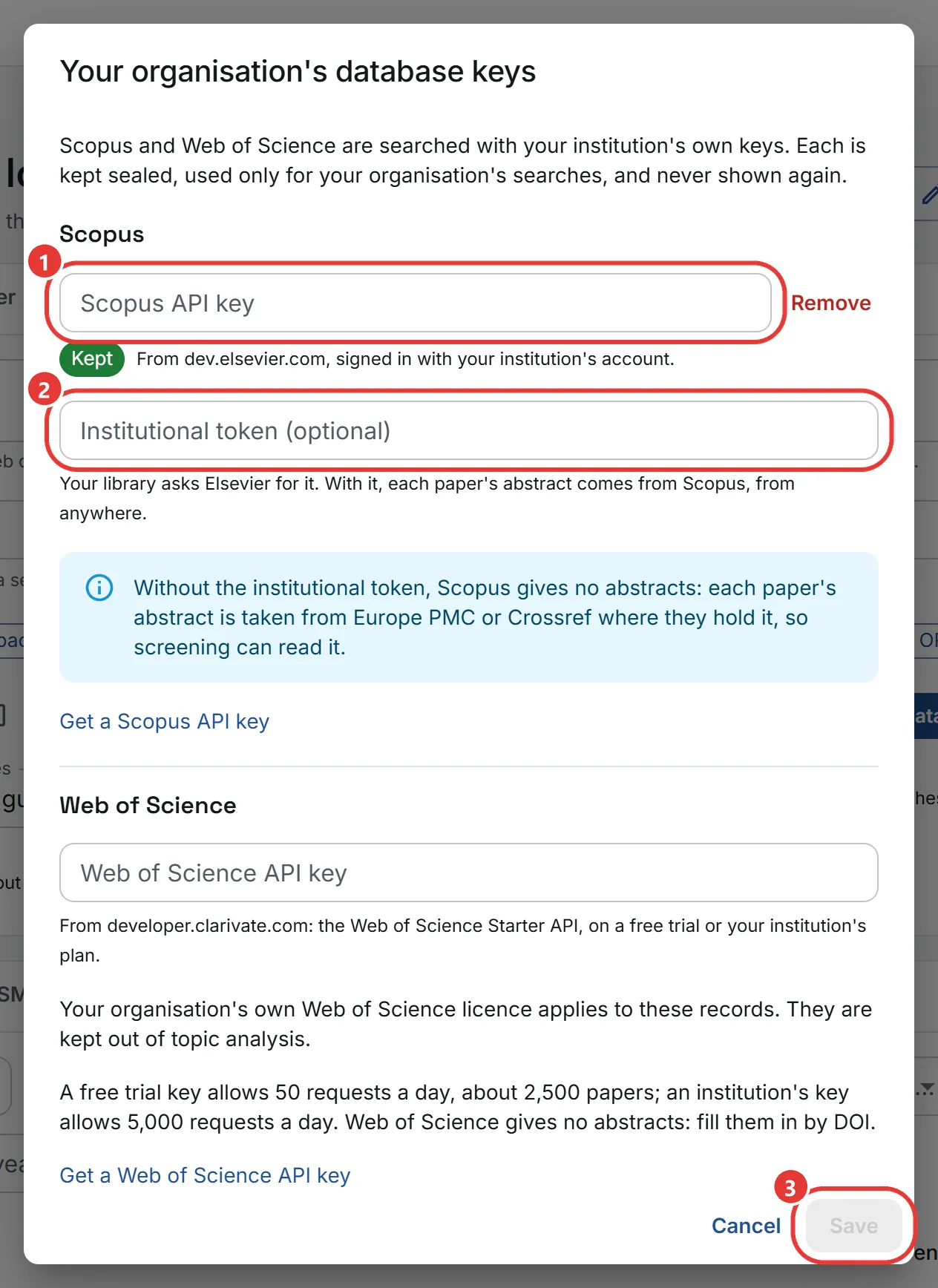
Scopus is searched with your institution's own key. An owner or admin of your organisation adds it once, with Database keys next to the databases:
- The Scopus API key, from dev.elsevier.com, signed in with your institution's account.
- The institutional token, if your library has one. With it, each paper's abstract comes from Scopus itself; without it, the abstract is taken from Europe PMC or Crossref where they hold it, so screening can read it.
- Press Save. The key is kept sealed, used only for your organisation's searches, and never shown again.
Your Web of Science key
Web of Science is searched with your organisation's own key too, added in the same Database keys window:
- Get a key for the Web of Science Starter API at developer.clarivate.com. A free trial key allows 50 requests a day, about 2,500 papers; an institution's key allows 5,000 requests a day. When the day's allowance runs out, the search stops and keeps what it brought in.
- Paste it under Web of Science API key and press Save.
Web of Science gives no abstracts: use Fill in missing abstracts. Your organisation's own Web of Science licence applies to its records, and papers found only in Web of Science are left out of topic analysis: Clarivate's terms do not allow them in automated analysis without a separate agreement.